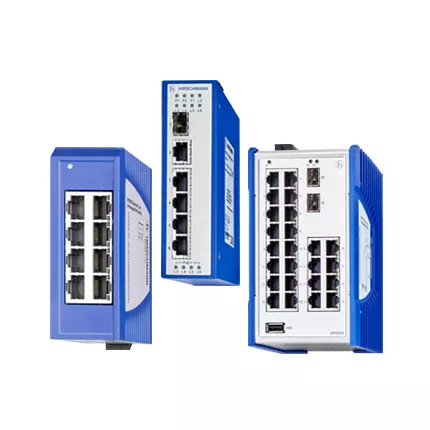
RS30 TDAU fiber switch: field audit and handover guide
RS30-0802O6O6TDAUHHXX.X is the exact Hirschmann designation for a configured RS30 replacement during a controlled plant outage. This new RS30 TDAU fiber switch article uses a field-audit format to separate fault evidence, bench qualification, handover records, lifecycle review, and purchasing decisions.
First, copy every character directly from the installed label. Next, retain that spelling in search, quotation, testing, and receiving documents. Finally, treat a similar family code as a comparison point rather than proof of interchangeability.
Lifecycle And Replacement Boundary
Belden has discontinued the Classic Software RS20, RS30, and RS40 variants and identifies newer Hirschmann products as the migration direction. As a result, every inquiry needs a current stock and lifecycle check. A successor may offer newer functions, but engineering must still compare media, connector style, port count, power, dimensions, software behavior, approvals, environmental range, and configuration migration.
Controlled-Outage Preparation
Freeze the approved network state before shutdown. Export the configuration, event log, neighbor list, VLAN table, and current SFP inventory. Moreover, the Hirschmann RS30 Gigabit-uplink family uses fanless managed industrial DIN-rail switch with Fast Ethernet access ports and two Gigabit SFP uplinks. Belden’s standard 0802 O6O6 configuration lists eight Fast Ethernet RJ45 access ports and two Gigabit SFP uplinks. The suffix after the port code must still match the site’s software, temperature, approval, and release requirements.
The shutdown coordinator controls timing, while the commissioning engineer controls the acceptance evidence. Therefore, the team should keep RS30-0802O6O6TDAUHHXX.X unchanged across the asset register, test form, quotation, and delivery inspection.
TDAU Commissioning Pack
Use the following four records as the minimum handover package. In addition, add site-specific approvals, cable drawings, and maintenance contacts when they affect restoration.
Step
Required evidence
1
Outage method
2
SFP inventory
3
Configuration checksum
4
Rollback result
Configured RS30 Bench Test
First, compare the received unit with the purchase code. Next, test both Gigabit SFP paths and every Fast Ethernet port. Finally, restore the approved software and verify management access. However, A correct switch with an unapproved release can still fail the commissioning plan. Consequently, the acceptance decision should follow measured evidence and an approved configuration.
RS30 TDAU fiber switch Final Acceptance
First, verify the delivered nameplate against the approved purchase record. Next, inspect every connector and terminal. Then, repeat the planned link, management, alarm, restart, and recovery tests. Finally, sign the result only after the replacement meets the documented network role.
Related Hirschmann RS Models
These nearby configurations can help with stock comparison and migration planning. However, none should replace the requested device automatically. First, compare the full suffix and interfaces. Then, approve any change through the site’s engineering process.
RS30-0802O6O6SDBE
RS30-0802OOZZSDHPHHXX.X
RS30-1602O606SDAEHC
RS20-0800M4M4SDHP
RS30-160200ZZSDAEHH
Stock Review And Commercial Response
Send HKXY Instruments the quantity, destination, target date, old label, fault context, and approved-alternative rule. We can check current availability, price, lead time, packing, and delivery options for RS30-0802O6O6TDAUHHXX.X. Meanwhile, use the official Belden Hirschmann RS20 and RS30 reference as the technical starting point.