
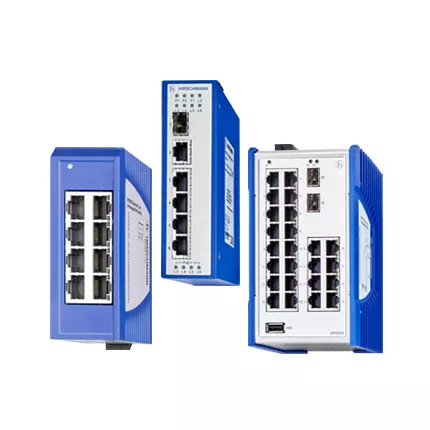
MSM20 S2 media module: configuration and sourcing
MSM20-S2S2S2S2SZ9HH9E99 is the complete Hirschmann designation for four singlemode Fast Ethernet optical positions for longer field links. This new MSM20 S2 media module article gives engineers and buyers a specification-led path for compatibility review, purchasing, installation, and handover.
Keep every character of the order code in drawings and requests. A shorter family name can support an initial search, yet it cannot confirm the precise environmental, certification, software, or customer-specific options.
Stock, Lifecycle, And Delivery Review
Official Belden and Hirschmann information provides the technical baseline, but it does not promise immediate stock for every configured code. HKXY Instruments can check current availability, price, estimated lead time, export packing, and delivery options after receiving the complete requirement.
For an emergency replacement, include the acceptable outage window and whether alternatives may be considered. For a planned project, include commissioning dates and spare quantities. Compare all feedback with the official product reference before order approval.
Singlemode Port Architecture
Singlemode paths can connect distant cabinets, although the actual route loss still has to be measured and documented. The requested product belongs to the Hirschmann MSM20 media-module family and serves as a four-position Fast Ethernet media module for compatible MSP switches. The S2 position denotes a singlemode 100 Mbit/s fiber interface with a duplex SC connection in Hirschmann documentation.
Build a loss budget from patch panels, splices, and route distance. Moreover, confirm that the remote optical interface uses the matching fiber mode and wavelength context. These steps keep the technical record tied to MSM20-S2S2S2S2SZ9HH9E99 instead of a broad family assumption.
Loss-Budget Review
Review MSP host model, module slot, singlemode fiber, duplex SC connectors, route distance, optical budget, temperature code, and exact suffix. A long route can include undocumented splices or dirty patch points, so measured loss is more useful than distance alone. Therefore, attach the installed label, network drawing, required quantity, destination, and target date to the inquiry.
- Singlemode route distance
- Four S2 positions
- Duplex SC polarity
- Optical-loss budget
Related Hirschmann Models
These nearby codes can help structure a spare-list or architecture discussion, but they are not automatic substitutes. Check host support, port media, speed, software, temperature, approvals, and the full suffix for every candidate.
- MSP30-16040SCV999HHE2A
- MSM40-T1T1T1T1SZ9HH9E99.9.XX
- MSM40-T1T1T1T1SZ9HH9E99
- MSP30-24040TCWYURHHE3AXX.X
- MSM20-S2S2T1T1TWYHH9E99.9
MSM20 S2 media module S2 Link Acceptance
Commission the product in stages. First, verify power and host recognition. Next, test each copper or optical path separately. Then restore VLAN, redundancy, management, and alarm functions that apply to the site. Finally, save the accepted configuration and link measurements for maintenance.