
RS20 2400 copper switch: migration and sourcing workbook
RS20-2400T1T1SDAUHH is the complete Hirschmann designation for a high-density all-copper maintenance spare. This new RS20 2400 copper switch article gives engineers and buyers a distinct working record for interface verification, cutover planning, lifecycle review, and quotation.
First, keep every capital letter, digit, period, and suffix unchanged. Next, use the complete label in the equipment list and RFQ. A family description can guide the review, but only the installed evidence can prove the final configuration.
Lifecycle And Successor Review
Belden currently identifies the Classic Software RS20, RS30, and RS40 range as discontinued and directs migration planning toward newer Hirschmann platforms, including BOBCAT configurations. Consequently, exact-code stock and lead time need a current check. Moreover, any successor requires comparison of port count, media, connectors, power, mounting, management functions, security, approvals, environment, and configuration migration.
Copper Cabinet Continuity
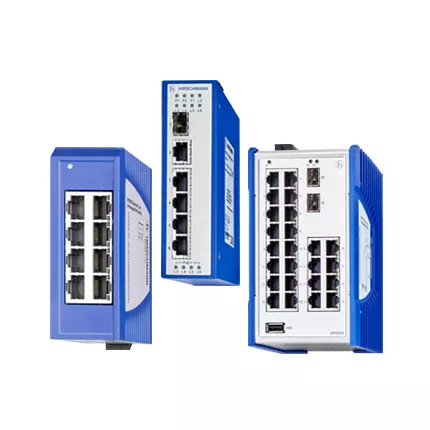
A twenty-four-port copper spare can shorten an outage only when its port map and configuration file are ready before failure. Moreover, RS20-2400T1T1SDAUHH belongs to the Hirschmann RS20 all-copper family and serves as a fanless managed Fast Ethernet DIN-rail switch with twisted-pair RJ45 interfaces. A standard 0800 T1T1 device provides eight copper Ethernet ports, while a 2400 T1T1 arrangement provides twenty-four copper ports. The complete suffix still controls the software and environmental configuration.
Export the running configuration and build a port-by-port worksheet. Then, rank devices by restoration priority. However, An unlabeled copper move can restore the switch yet reconnect a critical controller to the wrong VLAN. Therefore, keep the test evidence with the asset record and purchasing request.
Quotation And Delivery File
Send HKXY Instruments the quantity, destination, target date, old label, network role, and allowed-alternative policy. Then, we can review the exact request, check current availability, and prepare price, lead-time, packing, and delivery feedback. For technical context, compare the request with the official Belden Hirschmann RS20 and RS30 reference.
Port Migration Worksheet
First, review all copper destinations, cable category and length, shielding, grounding, speed, duplex, VLANs, redundancy, power, software, environment, alarms, and lifecycle. Next, preserve RS20-2400T1T1SDAUHH exactly as shown in the request. In addition, compare the old nameplate, front-panel interfaces, running configuration, power wiring, and environment before approving a replacement.
- Twenty-four cable labels
- Configuration checksum
- VLAN map
- Rollback order
RS20 2400 copper switch SDAUHH Restore Test
First, verify mounting, terminal wiring, and startup. Next, test every local link and both uplink positions. Then, restore management, VLAN, alarm, and redundancy settings. Finally, save the accepted configuration, cable or optical measurements, event log, and rollback result.
Related Hirschmann RS Configurations
These nearby models can support a broader spare or migration review. However, they are not automatic substitutes. Compare every interface, fiber mode, connector, software level, environmental option, approval, and complete suffix before changing the requested code.
- RS20-0800T1T1SDAPHH
- RS20-2400T1T1SDAE
- RS20-0800M4M4SDHP
- RS30-0802OOZZSDHPHHXX.X
- RS30-0802O6O6SDAEHH
Get Hirschmann RS20 stock and price
Contact HKXY Instruments for RS20-2400T1T1SDAUHH code checking, lifecycle review, current availability, delivery time, and quotation support.
Official reference data:
Technical specifications
Contact us:
Request a quotation