
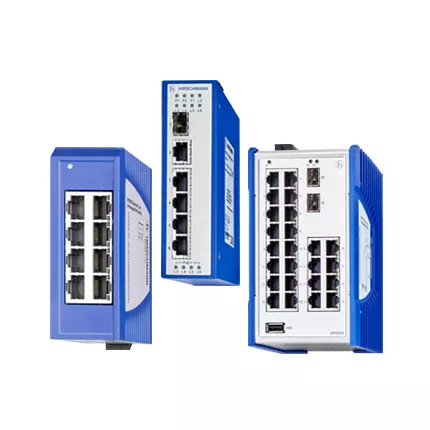
RS20 SDAUHC fiber switch: configuration change guide
RS20-0800M2M2SDAUHC is the complete Hirschmann designation for an eight-port multimode SC network with an exact environmental suffix. This newly written RS20 SDAUHC fiber switch article gives engineers and buyers a model-specific reference for interface planning, change evidence, lifecycle review, and sourcing.
Keep every character of the code in drawings and purchase requests. A family name helps discovery, but it cannot confirm the exact ports, connectors, software, environmental options, or revision.
Suffix-Aware Fiber Planning
Two multimode uplinks can provide electrical isolation between cabinets, but suffix-level differences still affect replacement confidence. The requested unit belongs to the Hirschmann RS20 multimode SC family and is a fanless managed Fast Ethernet DIN-rail switch with two multimode SC optical uplinks. On standard 0800 M2M2 variants, six local 10 or 100 Mbit/s RJ45 ports are paired with two 100BASE-FX multimode SC uplinks.
Photograph the label and both SC uplinks. Next, measure receive levels and note the host environment before choosing stock. A matching connector does not prove a matching environmental or software option. These records support both troubleshooting and a technically useful quotation.
Optical Evidence Package
Review eight-port map, two M2 optical routes, multimode fiber grade, SC condition, link loss, power, software level, temperature code, approvals, and full suffix. Keep RS20-0800M2M2SDAUHC unchanged in the RFQ. One suffix difference can affect the software, environmental class, approval set, or customer-specific construction.
- Two M2 SC routes
- SDAUHC suffix
- Optical baselines
- Cabinet environment
Lifecycle And Successor Review
Belden currently marks the RS20, RS30, and RS40 configurator as Limited Availability or Passive and points users toward BOBCAT replacement options. Therefore, exact-code stock and lead time need a fresh check. A successor also needs engineering review for interfaces, mounting, power, software, security, and configuration migration.
RS20 SDAUHC fiber switch SDAUHC Acceptance
Run acceptance in stages. First, verify power, mounting, and startup. Next, test each copper and optical path separately. Then restore management, VLAN, alarms, and redundancy functions. Finally, save the accepted configuration and link measurements with the site change record.
Quotation And Delivery Inputs
Send HKXY Instruments the quantity, destination, required date, old label, network drawing, and acceptable alternative policy. We can review availability, current price, lead time, export packing, and delivery options. Compare the result with the official Belden Hirschmann RS20 configurator.
Related Hirschmann RS20 Models
These nearby configurations can support spare and migration planning, but they are not direct substitutes. Check port count, connector style, fiber mode, optical reach, software level, temperature code, approvals, and the full suffix.
- RS20-0800M2M2SDAUHH
- RS20-0800M2M2TDAPHH09.0
- RS20-0800M4M4SDAE
- RS20-0900VVS2SDAEHH
- RS20-0800S2S2S2SDAPHH